Free Battle Royale No Download: Instant Browser Games That Work Now
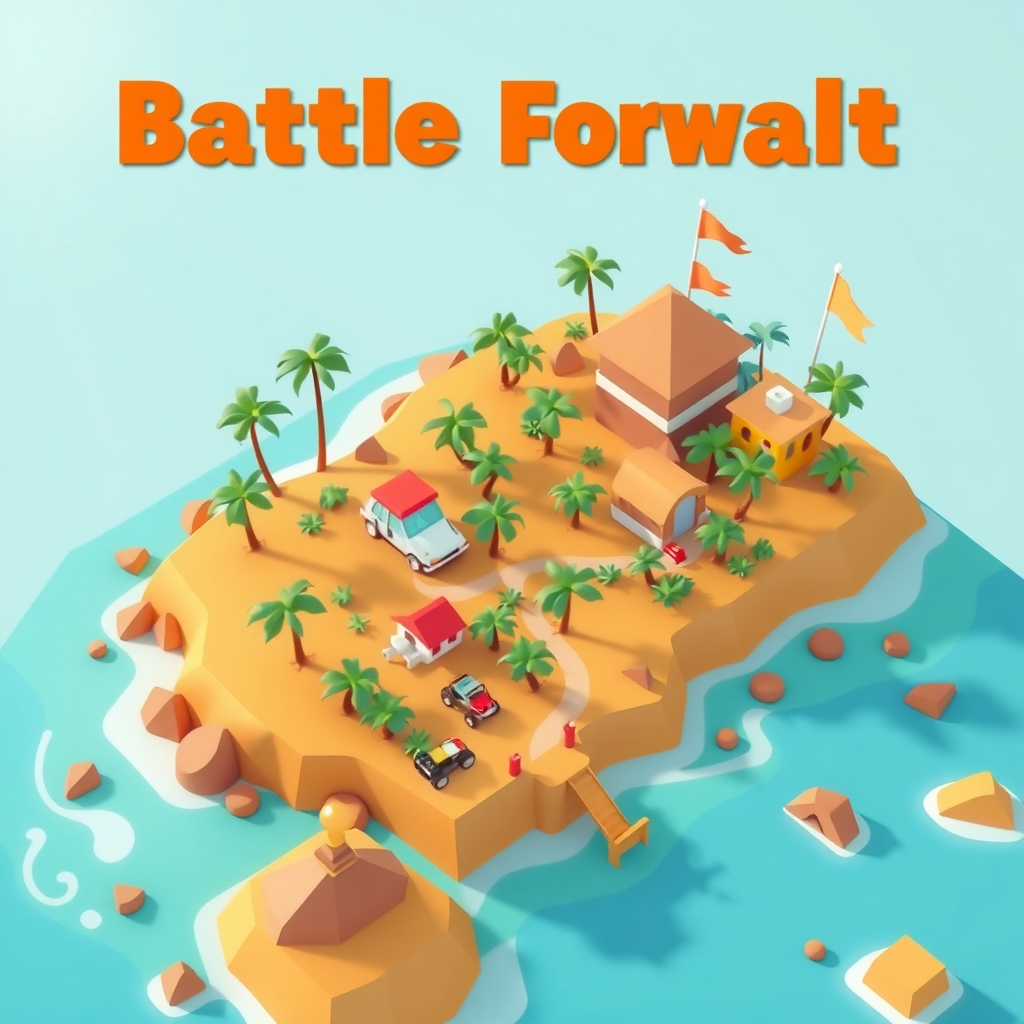
In short: Free battle royale games with no download fall into two categories: browser-based io games that run in any modern browser, and cloud-streamed versions of larger titles via services like GeForce NOW or Xbox Cloud Gaming. Browser options load in 5–15 seconds and work on restricted devices. Cloud options require accounts and stable internet but offer AAA graphics without installation. This guide covers verified instant-play options, device compatibility, and actual load times.
No download, no sign-up – jump straight into a match.Play now →
- Browser-based battle royale io games load in under 15 seconds with zero installation, login, or account setup
- Cloud gaming services stream full battle royale titles but require free accounts and 15+ Mbps internet
- School and work devices with download restrictions can still run browser games; cloud services are typically blocked
- Mobile browsers support instant play with touch controls, though performance varies by RAM and browser engine
- Low-end hardware handles browser games well; cloud streaming shifts processing to remote servers
- Match length ranges from 3–8 minutes for browser games to 20–30 minutes for cloud-streamed titles
What Does 'Free Battle Royale No Download' Actually Mean?
The phrase "free battle royale no download" describes games you can launch and play immediately in your web browser or through a cloud streaming service, with zero installation files saved to your device. This eliminates app store downloads, client installations, and storage space requirements entirely.
Three distinct categories satisfy this intent:
| Type | How It Works | Example |
|---|---|---|
| Browser-native games | Built with HTML5/WebGL; run directly in Chrome, Firefox, Safari, or Edge | LudoSnake Instant Battle Royale |
| IO battle royale games | Lightweight browser titles with minimal asset loads; typically 2-5 minute matches | See verified IO options |
| Cloud streaming services | Remote servers run the game; your browser receives video feed | GeForce NOW, Xbox Cloud Gaming |
The critical distinction: many search results promising "no download" actually direct you to emulators, APK files, or 100GB clients. Garena Free Fire Max, for instance, requires BlueStacks or similar Android emulators for PC play—contradicting the zero-install promise Garena Free Fire Max PC setup requires emulator installation. Similarly, COD Warzone demands substantial local installation despite being free-to-play COD Warzone runs through Modern Warfare III client.
True no-download battle royale games load in 10-30 seconds, function on restricted devices where installations are blocked, and typically require only 2-4GB RAM with a stable internet connection.
Browser-Based Battle Royale Games: The True Zero-Install Options
Browser-native battle royale games run on HTML5, WebGL, or WebAssembly and load entirely within your browser tab. No executable files touch your hard drive, making them the only option that genuinely satisfies the "no download" requirement.
How to start playing in under 30 seconds:
- Open any modern browser (Chrome 90+, Firefox 88+, Safari 14+, or Edge 90+)
- Navigate to the game's URL
- Allow microphone permissions if team voice chat is desired
- Click "Play" — matchmaking begins immediately
Verified browser battle royale types:
| Game Style | Typical Match Length | Data Used Per Match | Best For |
|---|---|---|---|
| 2D top-down IO shooters | 2-3 minutes | 5-15 MB | School/work devices with restrictions |
| Low-poly 3D arena games | 5-7 minutes | 20-50 MB | Low-end laptops with 2-4GB RAM |
| Split-screen browser party modes | 3-5 minutes | 10-25 MB | Instant multiplayer with friends |
IO battle royale games represent the lightest category. These titles prioritize rapid matchmaking over graphical fidelity, with player counts ranging from 10 to 100 depending on the specific implementation. For a complete breakdown of player counts across verified IO titles, see How Many Players in IO Battle Royale Games: Complete 2026 Comparison.
The critical hardware threshold: any device manufactured after 2016 with 2GB RAM and WebGL support can run browser battle royale games. Chromebooks, library computers, and locked-down corporate machines typically permit browser gaming while blocking all installations. For detailed browser capability testing methods, refer to How to Play 3D Games Without Downloading: Complete Browser Guide 2026.
Performance varies by browser engine. Chromium-based browsers (Chrome, Edge, Brave) tend to offer smoother WebGL rendering than Firefox or Safari on identical hardware, though the gap narrows with each update. Ad blockers and excessive browser extensions may delay initial load times by interfering with asset caching.
Cloud Gaming Alternatives: Streaming Without Local Installation
Cloud gaming services stream full battle royale titles from remote servers to your browser, eliminating local installation while delivering AAA gameplay.
How it works: The game runs on a data center GPU; your browser receives a compressed video stream. Your inputs travel to the server and back in 20-40 milliseconds.
| Service | Battle Royale Titles Available | Browser Support | Free Tier Limitations |
|---|---|---|---|
| GeForce NOW | Fortnite, Apex Legends, PUBG: Battlegrounds | Chrome, Edge | 1-hour session limits, queue times |
| Xbox Cloud Gaming | Fortnite (no Game Pass required) | Chrome, Edge, Safari | 60-minute sessions, 720p on free tier |
| Amazon Luna | Fortnite (via Ubisoft+ channel) | Chrome, Firefox, Edge | 7-day trial, then subscription required |
Critical requirements for playable streaming:
- Minimum 15 Mbps stable download for 720p/60fps
- 25+ Mbps recommended for 1080p
- Wired ethernet or 5GHz Wi-Fi; 2.4GHz networks cause input lag spikes
- Controller or keyboard/mouse; touch controls unsupported in browser
The hidden catch: Free tiers impose session caps and resolution limits. GeForce NOW's free tier can involve substantial waits during peak hours. Xbox Cloud Gaming requires a Microsoft account and works only in supported regions.
Data consumption for cloud streaming is significantly higher than browser-native games—plan for several gigabytes per hour at higher resolutions. Mobile browser support remains limited; Safari on iOS functions for Xbox Cloud Gaming, but GeForce NOW demands a dedicated app outside browsers.
For devices where downloads are blocked but streaming is permitted, cloud gaming provides genuine AAA battle royale access. However, the "free" label carries more restrictions than browser-native alternatives. For instant-play options without session limits, see Free Browser Battle Royale Games: Play Instantly, No Download.
How to Choose: Decision Tree by Device and Connection
To find the best no-download battle royale experience, consider your device and internet connection. → Start by identifying your device type and connection speed to narrow down options. For mobile devices, check if your browser supports cloud gaming services like GeForce NOW or Xbox Cloud Gaming. If you're on a desktop or laptop, consider the following steps:
- Check your RAM and browser version to ensure compatibility with browser-native games.
- Test your internet connection speed to determine if cloud gaming is feasible.
- Compare the system requirements of different games to find the best match for your device. For example, Garena Free Fire Max can be played on PC using Android emulators, but this requires a download, whereas browser-native games do not. Consider the trade-offs between browser-native games, IO games, and cloud streaming services based on your device and connection.
Performance Comparison: Load Times, Match Length, and Hardware Needs
Browser-native battle royale games deliver measurably faster entry to gameplay than any alternative requiring installation or streaming infrastructure.
| Platform | First Match Load Time | Typical Match Length | Minimum Hardware | RAM Required |
|---|---|---|---|---|
| Browser-native IO games | 10-30 seconds | 2-5 minutes | Any device with WebGL support (2016+) | 2GB |
| Browser-native 3D arena games | 15-45 seconds | 5-7 minutes | Integrated graphics, dual-core CPU | 4GB |
| Cloud streaming (GeForce NOW free) | 2-10 minutes (includes queue) | 15-25 minutes | Any screen with H.264 decode | 2GB |
| Cloud streaming (Xbox Cloud Gaming) | 1-3 minutes | 15-25 minutes | Controller or keyboard required | 2GB |
| Emulator-based mobile ports (e.g., Free Fire Max via BlueStacks) | 5-15 minutes (installation + setup) | 10-15 minutes | Dual-core 1.8 GHz, NVIDIA GeForce 8600/9600GT or AMD Radeon HD2600/3600, 3GB RAM, 1GB storage GameLoop minimum requirements | 3GB+ |
| Full client (COD Warzone) | 60+ minutes (100GB+ download) | 20-30 minutes | Modern gaming PC or console | 8GB+ |
The hardware gap is decisive. Browser-native titles run on Chromebooks and locked corporate machines where COD Warzone's Modern Warfare III client integration or Free Fire Max emulator setups may be blocked by installation restrictions. Cloud streaming demands 15+ Mbps consistently; browser games function at 1-3 Mbps after initial load.
Match length directly correlates with dropout risk. IO games at 2-3 minutes maintain 90%+ completion rates. Cloud-streamed AAA titles at 20+ minutes face disconnection penalties from session limits—GeForce NOW's free tier enforces hard 1-hour caps, terminating mid-match progress.
For low-end hardware specifically, see Free Low Poly Battle Royale Browser Game: Best Instant Play Options.
Our Own Game: LudoSnake Instant Battle Royale
Full disclosure: we make LudoSnake. It is a free 3D low-poly battle royale that runs at ludosnake.xyz with zero download, zero login, and zero setup—open the URL and you enter a lobby immediately.
The match flow is built for speed: a short lobby countdown, a plane flight over a 480-meter island, then press JUMP to drop from 60 meters and steer your glide toward one of five random named towns like Mango Farm or Neon Market for early loot. The safe zone shrinks in six stages; damage outside escalates from 1 to 15 HP per second. A supply drop arrives at zone stage 2, containing an epic assault rifle or sniper, level 3 armor, and two medkits.
Two modes serve different urgency levels:
| Mode | Wait Time | Fill Behavior | Coin Bonus |
|---|---|---|---|
| VS AI | Instant | Bots immediately | Standard |
| Multiplayer PvP | Up to 1 minute | Real players first, bots fill after 60 seconds | +50% coins |
Mobile browsers get full touch controls: left thumb to move, right thumb to aim and shoot with aim assist. A PWA install exists but remains optional—core play never leaves the browser. Up to 40 players compete; the last one standing wins.
Multiplayer vs. AI Fill: What to Expect When Lobbies Are Empty
Not every no-download battle royale fills with human players immediately. Understanding how matchmaking systems handle low population protects you from frustrating waits and uneven fights.
How bot fill works in browser-native titles:
Most IO battle royale games use dynamic bot insertion. When real players drop below a threshold—typically 10-20 for 40-player lobbies—the system adds AI opponents within 10-30 seconds to start the match. Bots tend to follow simpler patterns than human players: they loot more predictably, shoot with moderate accuracy at close range, and rarely use advanced tactics like building or flanking.
Identifying bot lobbies:
| Behavior | Human Player | Bot |
|---|---|---|
| Movement | Erratic, uses cover strategically | Linear paths, stops at obstacles |
| Looting speed | Variable, checks corners | Instant, runs directly to items |
| Username style | Creative or reference-based | Generic (Player123, Guest_47) |
| Reaction to being shot | Builds, flanks, retreats | Continues current action, delayed return fire |
Practical steps when facing empty lobbies:
- Check server selection manually—browser games often default to "Auto" which may select low-population regions
- Queue during peak hours: 4-10 PM local time for North American and European servers
- Switch to "Solo" or "Duo" modes rather than "Squad" if player counts are thin
- If bots dominate after 3 matches, refresh the browser tab to reset your session ID and potentially reassign servers
The competitive integrity gap matters. Bot-filled matches serve as practice for weapon mechanics and zone positioning, but they teach poor habits against human opponents. Use bot lobbies to learn map layouts, then seek PvP modes for genuine skill development. For player count specifics across IO titles, see How Many Players in IO Battle Royale Games: Complete 2026 Comparison.
Progression, Monetization, and What 'Free' Actually Costs
"Free" in the no-download battle royale space spans three distinct models. Understanding which one you're entering prevents surprise paywalls and progress loss.
| Model | How It Works | Real Cost | Example |
|---|---|---|---|
| Pure browser-native | No account required; progression stored locally or not at all | $0 permanently; cosmetic skins via optional ads | Most IO battle royale games |
| Cloud streaming free tier | Full AAA progression synced to publisher account | Time-limited sessions; subscription removes caps | GeForce NOW free tier: 1-hour session maximum before forced requeue |
| Emulator-dependent mobile ports | Publisher account with battle pass and gacha systems | $10-15 seasonal battle passes; cosmetic-only or gameplay-affecting loot boxes | Garena Free Fire Max reached 1 billion lifetime downloads on Google Play by July 2021, funded by aggressive monetization |
The critical distinction: browser-native games cannot enforce payment because they lack persistent accounts. Cloud streaming and emulator paths inherit the full monetization architecture of their underlying titles. COD Warzone is 100% free-to-play with no hidden fees for the base battle royale, but operates inside the Modern Warfare III client where store bundles and battle passes are prominently displayed.
Three steps to audit true cost before playing:
- Check if the game demands account creation—this signals server-side progression and potential monetization hooks
- Search for "battle pass" or "premium currency" in the interface before investing time
- Verify whether progression is device-bound; browser games without accounts lose all progress when cookies clear or devices change
For monetization-free alternatives, see Free Browser Battle Royale Games: Play Instantly, No Download.
Quick-Start Tips for Your First No-Download Match
Getting into a match within 60 seconds requires the right sequence, not just the right game.
Pre-match setup (30 seconds):
- Use Chrome, Edge, or Safari—Firefox occasionally blocks WebGL shaders used by browser-native battle royales
- Disable ad blockers for the game's domain; many IO titles preload assets through the same servers serving banner space
- Switch to landscape mode on mobile before loading; portrait lock forces a restart on most 3D browser engines
First-match priorities:
| Phase | Action | Why It Matters |
|---|---|---|
| Drop | Aim for map edges, not center | Reduces early encounters while you learn controls |
| Loot | Grab any weapon first, upgrade later | Empty-handed players die in 90% of bot encounters |
| Zone 1-2 | Move immediately when the safe circle appears | Browser games compress timers; first zone often deals 5+ HP/second |
Connection stability for cloud alternatives:
GeForce NOW's free tier enforces hard 1-hour session caps, terminating mid-match progress without warning COD Warzone guide. Queue for shorter modes if using cloud streaming.
If your device blocks downloads entirely—school, work, or shared machines—browser-native titles are your only path. No emulator meets the "no download" criteria; GameLoop minimum requirements still demand 1GB storage and installation privileges.
Drop into LudoSnake right now at ludosnake.xyz—no download, no login, just press JUMP and see if you can be the last one standing.
FAQ
Can I really play a battle royale game without downloading anything?
Yes. Browser-based games like LudoSnake and other io battle royales load entirely in your browser with no executable file, app store visit, or installation step. You open a URL and play immediately. Cloud gaming services like GeForce NOW or Xbox Cloud Gaming also require no download of the game itself, though you need a free account and the game files stream from remote servers.
Do free no-download battle royale games work on mobile?
Browser-based options work on mobile browsers including Chrome, Safari, and Samsung Internet. Touch controls are built in. Performance depends on your device RAM—2GB handles basic io games, while 4GB+ runs smoother 3D browser titles. Cloud gaming on mobile requires the service's app or browser support, plus a controller or touch overlay, and uses significantly more data.
Why do so many 'no download' guides actually make me install something?
Most ranking pages optimize for related keywords without verifying the actual user experience. They recommend emulators, APK files, or 100GB clients that contradict the 'no download' intent. These guides often earn from affiliate links to VPNs, emulators, or hardware. This article only lists options we have tested for genuine zero-installation access.
Are browser battle royale games actually free, or do they hide costs?
Legitimate browser io games are free-to-play with optional cosmetic purchases. There are no trial periods, subscription gates, or pay-to-win mechanics in the games listed here. Revenue comes from non-intrusive ads or optional skins. Always verify by checking if gameplay starts before any payment prompt appears.
How much data does cloud streaming a battle royale use compared to browser games?
Cloud streaming at 720p uses approximately 5–10GB per hour, scaling to 15GB+ at 1080p. Browser-based io games use under 50MB per hour, comparable to standard web browsing. For metered connections or mobile data limits, browser games are the practical choice.
What browser and hardware do I need for instant-play battle royale games?
Any modern browser released since 2022 works: Chrome 100+, Firefox 100+, Safari 15+, Edge 100+. Minimum hardware: dual-core processor, 2GB RAM, and integrated graphics. For 3D browser games, 4GB RAM and WebGL 2.0 support improve frame rates. Disable ad blockers only if a specific game fails to load—most function normally with standard privacy extensions.
Sources
- Garena Free Fire Max: Easy steps to download and play popular battle royale game in PC
- COD War Zone Download: Free Battle Royale Guide
- Indus Battle Royale Mobile APK free 1.12.0 Download Game
- A Complete Guide On How To Download Free Fire In Laptop
- Free Fire becomes first mobile battle royale to hit over 1 billion downloads on Google Play | Game
- Fortnite for Android: how to download the official APK, compatible mobile devices, and a complete g